Video tutorial · The Metaverse Guy
I Made a Two-Minute AI Film With MOVO AI's Video Agent
How I turned a rough idea into a two-minute short called The Courier using MOVO AI, without opening a prompt editor or stitching clips together.
This video was made in partnership with MOVO AI. It carries YouTube's paid-promotion label.
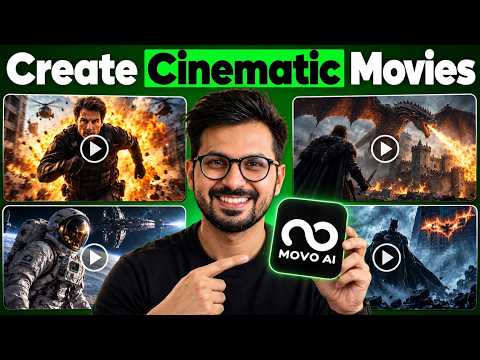
- Published
- 26 October 2026
- Length
- 10 min
- Views
- 51,253 views
In this video I make a two-minute AI film called "The Courier" using MOVO AI, which describes itself as an AI Video Agent rather than a standard video generator. Instead of prompting and editing each shot by hand, I work through the whole production in a conversation, from the initial idea and production plan through to character and location refinements. I also cover how the tool keeps characters and visual style consistent across scenes, how credits and model choices work, and how the project syncs across devices.
What I set out to make
The goal was a two-minute AI film. I wanted to see whether I could take a rough idea all the way to a finished cinematic short without opening a prompt editor and without generating lots of short clips and stitching them together afterwards.
The finished film is called "The Courier", and I show it early in the video before going back through how it was made.
Why MOVO AI is different from a video generator
Standard video generators leave the workflow to you: you prompt each shot individually, then edit and assemble them yourself. MOVO AI is built as an AI Video Agent instead, and it manages the entire workflow from storyboarding to final assembly.
That means it is responsible for keeping character consistency and visual style consistent across every scene automatically, rather than you having to hold that together shot by shot.
Starting a project in plain language
I began with a rough idea described in natural language rather than a structured prompt. From there, the agent built a production plan for the film.
Once the plan was in place, I refined characters and locations in real time by talking to it, which is how the story stayed connected from start to finish.
- Describe the rough idea in natural language to start the project.
- Let the AI agent build a production plan from that idea.
- Refine characters and locations through conversation as the plan takes shape.
Refining scenes by conversation
Rather than rewriting prompts for individual shots, I adjusted scenes by chatting with the agent. This is the part that keeps the film coherent: changes to a character or a location carry through, so the story does not drift between scenes.
I also cover how credits are managed and how you choose models within the tool, plus how the project syncs across devices so you can pick the work up elsewhere.
What this means for AI filmmaking
The interesting shift here is the move from generating clips to directing a production. I close the video with my thoughts on where this way of working leaves AI filmmaking, having taken a rough idea to a finished two-minute short in a single conversation-driven workflow.
Tools used in this video
- MOVO AI
Questions
- Do I need a prompt editor or editing software to make the film?
- No. I made the two-minute film without opening a prompt editor and without stitching short clips together, because MOVO AI handles the workflow from storyboarding to final assembly.
- Does MOVO AI keep characters consistent between scenes?
- Yes. According to the video, it maintains character consistency and visual style across every scene automatically, and you can refine characters and locations in real time through natural language.
- How much does MOVO AI cost to try?
- The video includes a link that gives you 100 free credits to start your project. I also cover managing credits and choosing models as part of the workflow.
- Can I work on a project across different devices?
- Yes. The video has a section on cross-device syncing and workflow, so a project can be picked up on another device.
Chapters
- 0:00 How to Make a Full AI Film with MOVO AI
- 0:45 The Finished AI Film: "The Courier"
- 2:15 Why MOVO AI is Different from Video Generators
- 3:30 Starting a Project with Natural Language
- 4:45 How the AI Agent Builds a Production Plan
- 5:30 Character & Environment Consistency
- 6:15 Refining Scenes Through Conversation
- 7:30 Managing Credits and Choosing Models
- 8:15 Cross-Device Syncing & Workflow
- 8:45 Final Thoughts: The Future of AI Filmmaking
Video description and links
This article was written from the video's description with the help of AI. Watch the video for the full walkthrough.


