Video tutorial · The Metaverse Guy
NextToken AI Review: Build AI Agents and Full-Stack Apps from One Prompt
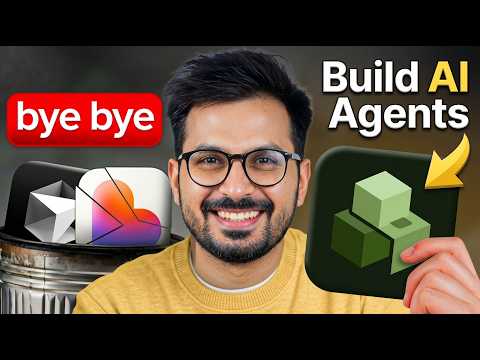
I tested NextToken AI, a platform that builds AI agents, full-stack apps, and automations from a single prompt. Here's how it works.
- Published
- 23 April 2026
- Length
- 8 min
- Views
- 46,355 views
In this video I review NextToken AI, a platform that lets you build AI agents, full-stack apps, dashboards, and automations from a single prompt. I built a real AI research agent for my YouTube channel that scans trending AI news, finds viral content opportunities, and generates titles, scripts, keywords, and thumbnail ideas automatically. The platform generates Python and React code, integrates with Gmail, CRM, and over 1000 other apps, and lets you publish instantly.
What is NextToken AI?
NextToken AI is a platform that aims to fix what I see as a broken AI building experience. Most tools either give you a pretty frontend with a weak backend, or they force you into messy drag-and-drop workflows. NextToken takes a different approach: you describe what you want in a single prompt, and it builds the entire thing – backend, frontend, automations, and integrations – all in one go.
It supports models like GPT-5 and Claude, and it can generate Python and React applications. That means you get real code you can take anywhere, not a proprietary no-code lock-in. The platform also comes with over 1000 integrations, including Gmail and CRM systems, so your apps can connect to the tools you already use.
Building an AI Research Agent
To put NextToken to the test, I built an AI research agent for my YouTube channel. I wanted something that would scan trending AI news, find viral content opportunities, and automatically generate titles, scripts, keywords, and thumbnail ideas. I started by typing a prompt describing exactly that.
The platform first enhanced my prompt to make it more precise, then entered a planning phase where it mapped out the agent's logic. After that, it generated the full Python scripts and a React frontend. I walked through the generated code to see how it all worked, then ran the agent live to watch it research the web and produce a content brief. Finally, I set up a daily Gmail report so the agent would email me the results every morning.
Key Features That Stood Out
One thing I liked is that NextToken builds backend-first, not frontend-first. That means the logic and data handling are solid before any UI gets added. When I asked it to build a frontend, it generated a clean React interface that connected to the existing backend seamlessly.
The integration options are extensive. I connected Gmail for the daily reports, and you can hook up CRM tools or any of the 1000+ supported apps. Once everything was working, I published the app instantly with a single click. For startups and indie hackers, this speed is huge – you can go from idea to a live, production-ready app in minutes, not weeks.
Because the output is standard Python and React, you're not locked in. You can host it anywhere, modify the code, or hand it to a developer. The build cost is also low, and new users get free credits to start experimenting.
Who Should Use NextToken AI
This tool is a good fit for founders, creators, agency owners, indie hackers, and developers who want to build real products fast. If you need an AI agent, a SaaS dashboard, an internal automation, or a full-stack app, you can describe it and have a working version in minutes. It's not just a toy – the generated code is production-ready.
I see NextToken as part of a move toward unified AI tools that handle the entire build pipeline. Instead of juggling separate tools for backend, frontend, and automations, you get one platform that does it all from a single prompt.
Tools used in this video
- NextToken AI
- GPT-5
- Claude
- Python
- React
- Gmail
- CRM (unspecified)
Questions
- What is NextToken AI?
- NextToken AI is a platform that builds AI agents, full-stack apps, dashboards, and automations from a single prompt. It generates Python and React code and integrates with over 1000 apps.
- Can I build AI agents with NextToken?
- Yes, you can build AI agents that perform tasks like web research, content generation, and automated reporting. In the video, I built an agent that scans AI news and creates YouTube content briefs.
- What integrations does NextToken support?
- It supports Gmail, CRM tools, and over 1000 other apps. You can connect these to your agents and automations so they can send emails, update records, and more.
- Is NextToken suitable for non-coders?
- Yes, because you describe what you want in plain English. However, the platform generates real Python and React code, so developers can also take the output and extend it further.
Chapters
- 00:00 Intro
- 00:10 What is NextToken AI?
- 00:23 Why AI Building Is Broken Today
- 00:41 One Platform for Everything
- 01:00 How to Start Using NextToken
- 01:08 GPT-5, Claude & Integrations
- 01:49 Building My AI Research Agent
- 02:14 Prompt Enhancement + Gmail Setup
- 02:31 AI Agent Planning Phase
- 02:49 Full AI Agent Build Process
- 03:31 Generated Python Scripts Explained
- 03:46 AI Research Workflow Demo
- 04:10 Asking It to Build Frontend UI
- 04:28 Backend First vs Frontend First
- 04:51 Final Frontend Ready
- 05:14 Live Web Research Demo
- 05:32 Production Ready App Result
- 05:41 Gmail Daily Reports Setup
- 06:08 Connect CRM & More Apps
- 06:16 Publish App Instantly
- 06:36 Why This Is Huge for Startups
- 06:50 Python + React Advantage
- 07:11 Free Credits & Low Cost Build
- 07:37 Best Users for NextToken
- 07:56 Unified AI Tools Future
- 08:11 Final Verdict & Outro
Video description and links
This article was written from the video's description with the help of AI. Watch the video for the full walkthrough.



