Video tutorial · The Metaverse Guy
Testing Pi.inc: AI Presentations, Images, and Video in One Workflow
I put Pi’s One-Click Mode to the test to see if it can replace juggling multiple creator apps.
- Published
- 15 July 2026
- Length
- 8 min
- Views
- 11,890 views
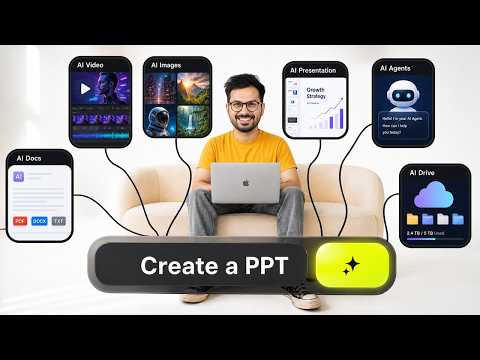
In this video, I test Pi (pi.inc), an all-in-one AI platform that promises to handle presentations, image generation, and cinematic video without leaving a single workspace. I walk through turning messy notes into a professional deck, generating AI visuals, and embedding motion graphics, comparing the streamlined workflow to my usual multi-app process.
The Problem with Modern Content Creation
Like many creators, I often find myself jumping between five different apps just to produce a single piece of content. One tool for slides, another for images, a third for video, and so on. It’s slow, expensive, and breaks my creative flow.
What is Pi?
Pi (pi.inc) is an AI content studio that aims to consolidate all these tasks. It offers presentation building, AI image generation, cinematic video creation, and even document and social media graphic tools, all within a single interface. I wanted to see if it could genuinely replace my fragmented workflow.
One-Click Mode: From Script to Deck
I started with One-Click Mode, which takes a script or messy notes and turns them into a professional presentation. I fed it some rough bullet points, and within seconds it produced a structured deck with dynamic templates. The layout was clean, and the content was logically organised, saving me the usual back-and-forth between a text editor and a slide app.
Content Multiplication and Repurposing
Pi also includes features for repurposing content. You can take a single piece of material and quickly adapt it into different formats—like turning a presentation into social media graphics or a document—without starting from scratch. This multiplication aspect stood out as a real time-saver.
Built-in AI Image Generation
Next, I tested the AI image generation. Instead of opening a separate tool, I generated visuals directly inside Pi. The platform lets you switch between different AI models, including GPT-Image-2, so you can choose the style that fits your project. I created a few high-end images for my slides, and the quality was on par with dedicated image generators.
Cinematic Video with Seedance-2
The most impressive part was the video capability. Pi uses Seedance-2 to generate cinematic AI motion graphics. I took a static slide, applied Seedance-2, and it added smooth, professional-looking animations. The difference between a flat image and an animated sequence was striking, and it all happened without touching a traditional video editor.
Why This Matters for Creators
For YouTubers, educators, or founders, the ability to move from idea to published content in one place is a big deal. I compared my usual multi-app workflow to Pi’s approach, and the reduction in complexity was clear. No more exporting files between tools, no more subscription juggling—just a focused creative process.
Final Verdict
After testing, I can see Pi becoming a central hub for many creators. It won’t replace every niche tool for advanced users, but for the majority of presentation, image, and short video tasks, it does the job well. If you’re tired of app overload, Pi is worth a look.
Tools used in this video
- Pi (pi.inc)
- GPT-Image-2
- Seedance-2
Questions
- What is Pi.inc?
- Pi is an all-in-one AI content studio that lets you create presentations, generate AI images, produce cinematic videos, and design social media graphics within a single platform.
- Can Pi really replace multiple creator apps?
- In my test, Pi handled presentation building, image generation, and video animation smoothly, significantly reducing the need to switch between separate tools for these tasks.
- What AI models does Pi use for image generation?
- Pi allows you to switch between different AI models, including GPT-Image-2, so you can generate visuals in various styles directly inside the platform.
- Does Pi support video creation?
- Yes, Pi uses Seedance-2 to add cinematic motion graphics to static slides, letting you create animated video content without a dedicated video editor.
Chapters
- 0:00 The Problem with Modern Content Creation
- 0:45 What is Pi? (The AI Content Studio)
- 1:40 One-Click Mode: Turning Scripts into Decks
- 3:15 Content Multiplication & Repurposing
- 4:00 Built-in AI Image Generation Test
- 5:30 Switching AI Models (GPT-Image-2 & More)
- 6:00 Seedance-2: Generating Cinematic AI Video
- 7:45 Static vs. Animated: The Power of Motion
- 8:00 Why This Matters for Creators
- 9:15 Final Verdict: Can Pi Replace Your Workflow?
Video description and links
This article was written from the video's description with the help of AI. Watch the video for the full walkthrough.


